
Welcome to the procedure that will show you how to leave WVDS closed permanently so that you can perform some changes to the system.
1) - To end the display of the content, open the Linux terminal with the command "Ctrl + Alt + T"
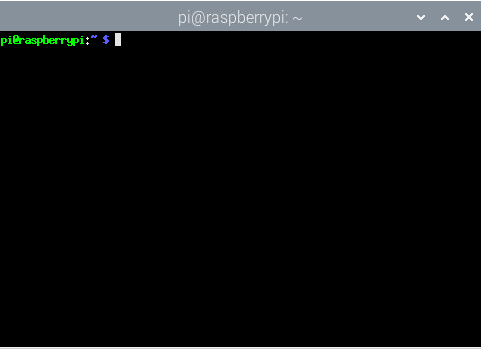
2) - Then, run the command:
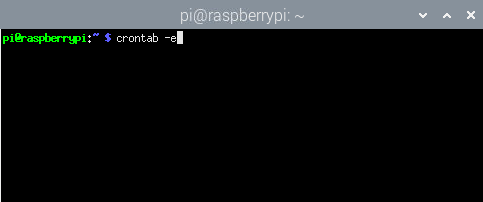
3) - The crontab configuration will appear on the screen. To disable WVDS activation, comment out the first line by adding a "#" at the beginning of the first line.
Before:
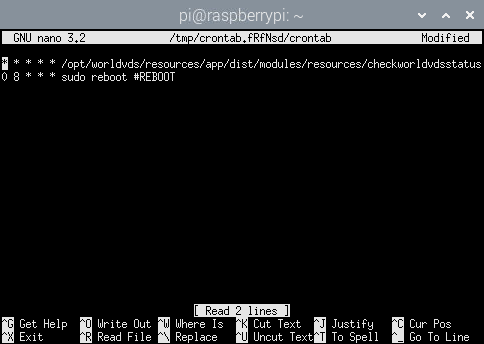
After:
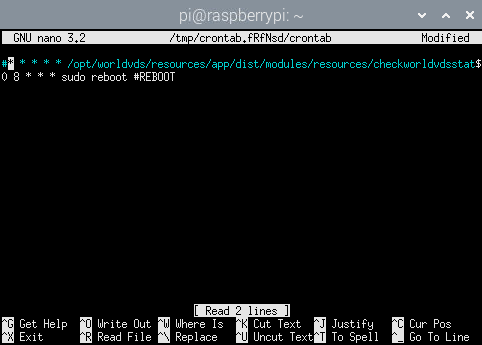
observe que a linha fica em azul quando está comentada
To save the change, click "Ctrl + X"
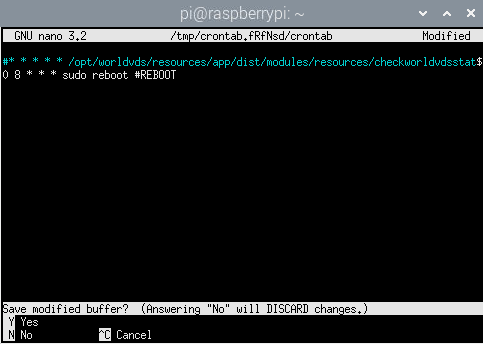
Then click "y"
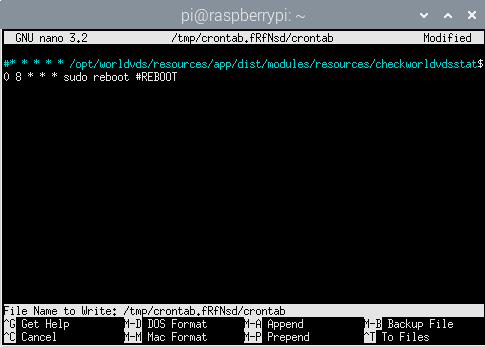
Now "Enter" to finish and the file will be closed:
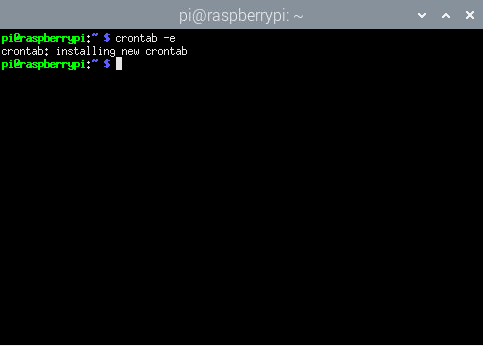
If you have any questions or need support, simply contact the B2 Mídia support team.


 Tel: 11 2382-9631 |
  Cel: 11 94392-6579
Telefone: Segunda a Sexta horário comercial (exceto feriados)
 Whatsapp 24h |
  Email: suporte@b2midia.com.br
Rua João Gonçalves, 484 - Centro, Guarulhos, SP - CEP: 07010-010